
Visium Plus Screen Time Survival Guide
Published Under:
Screens are everywhere.
From the moment you check your phone in the morning to the last video you watch before bed, your eyes are working overtime. Most people spend hours every day looking at phones, laptops, tablets, and TVs without giving much thought to how it affects their vision.
If your eyes often feel tired, dry, blurry, or strained after long periods of screen use, you’re not alone. Millions of people experience the same problem. The good news is that a few simple habits can make a big difference.
This Visium Plus Screen Time Survival Guide will show you practical ways to support your eye health while using digital devices. You’ll learn how screen time affects your eyes, what habits can help reduce strain, and how daily nutritional support may play a role in maintaining healthy vision.
Why Screen Time Can Be Tough on Your Eyes
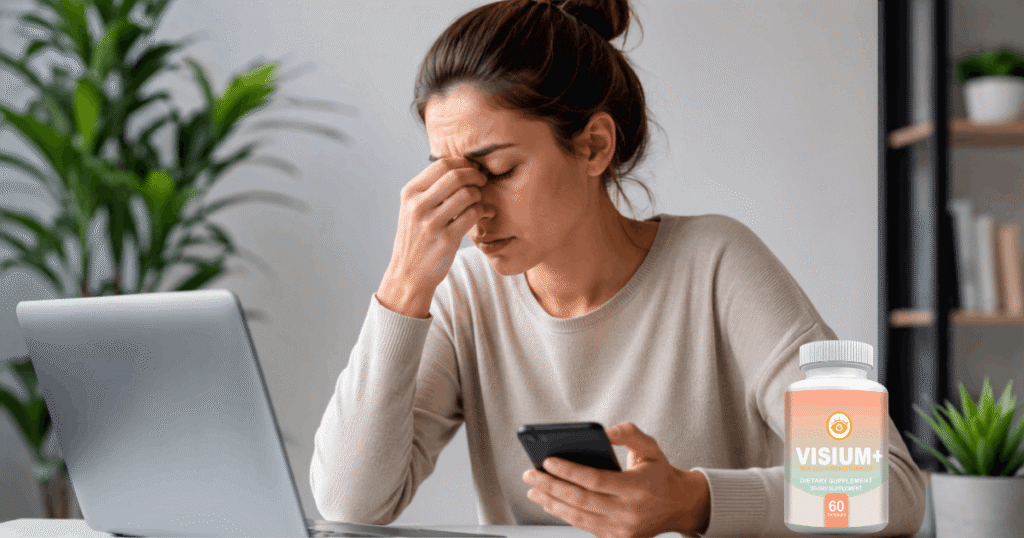
Your eyes weren’t designed to stare at digital screens all day.
When you focus on a screen, you tend to blink less often. Blinking helps keep your eyes moist and comfortable. Fewer blinks can lead to dryness and irritation.
Screens also require your eyes to constantly adjust focus. Reading small text, switching between tabs, and scrolling through endless content forces your eye muscles to work harder than you may realize.
Common signs of screen-related eye fatigue include:
- Dry or watery eyes
- Blurred vision
- Eye strain
- Headaches
- Difficulty focusing
- Sensitivity to light
- Tired eyes at the end of the day
The more time you spend on digital devices, the more likely you are to notice some of these symptoms.
Follow the 20-20-20 Rule
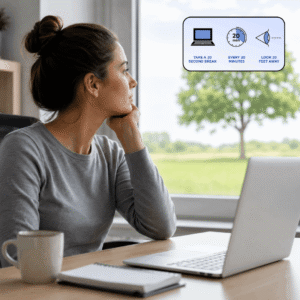
One of the simplest ways to give your eyes a break is the 20-20-20 rule.
Here’s how it works:
Every 20 minutes, look at something 20 feet away for at least 20 seconds.
That’s it.
This quick habit allows your eye muscles to relax. It reduces the constant focusing effort that screens demand.
You can set reminders on your phone or use browser extensions that prompt you to take short visual breaks throughout the day.
Adjust Your Screen Setup
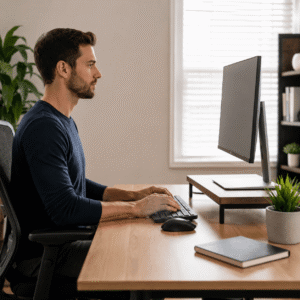
Your workspace matters more than most people think.
A poorly positioned screen can increase eye strain and make your eyes work harder.
Try these adjustments:
- Keep your screen about an arm’s length away.
- Position the top of the screen slightly below eye level.
- Increase text size if you find yourself squinting.
- Reduce glare from windows and bright lights.
- Adjust brightness to match your surroundings.
Small changes often lead to noticeable improvements.
Remember to Blink More Often

It sounds almost too simple.
But many people blink far less when looking at screens.
Some studies suggest blinking rates can drop significantly during computer use. That means your eyes may not get the moisture they need to stay comfortable.
Make a conscious effort to blink fully and regularly throughout the day.
If your eyes feel dry, take a short break and close them for a few seconds. This can help refresh the surface of your eyes naturally.
Create a Better Lighting Environment

Bright overhead lights and screen glare can make eye discomfort worse.
Aim for balanced lighting instead.
Avoid sitting directly in front of a bright window. If possible, use curtains or blinds to reduce harsh sunlight. A desk lamp with soft lighting can also help create a more comfortable viewing environment.
Your eyes shouldn’t have to fight against glare every time you look at a screen.
Give Your Eyes Time Away from Screens

Many people finish a workday on a computer and immediately switch to their phone or television.
Your eyes never get a real break.
Try adding screen-free activities into your routine:
- Take a short walk outside.
- Read a printed book.
- Spend time gardening.
- Exercise.
- Have conversations without looking at a device.
These simple activities help reduce the total visual workload placed on your eyes.
Stay Hydrated and Support Overall Eye Health

Healthy habits support healthy eyes.
Drink enough water throughout the day. Eat a balanced diet that includes colorful fruits and vegetables. Foods rich in vitamins and antioxidants may help support normal eye function as part of an overall healthy lifestyle.
Many people also choose to add nutritional support to their daily routine.
One option worth considering is Visium Plus, a supplement designed to support healthy vision. For people who spend long hours in front of screens, adding Visium Plus alongside healthy eye-care habits may be a simple way to support their long-term vision goals.
Build Your Personal Screen Time Survival Routine
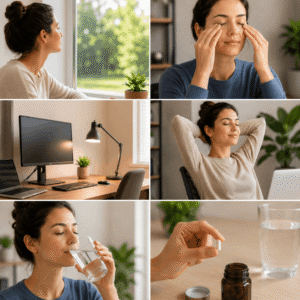
Consistency beats perfection. You don’t need to change everything overnight.
Start with a few habits:
- Follow the 20-20-20 rule.
- Blink more often.
- Improve your screen setup.
- Take regular breaks.
- Stay hydrated.
- Consider daily vision support with Visium Plus.
Over time, these small actions can become second nature.
The result? More comfortable eyes and a healthier relationship with your screens.
Screens are a permanent part of modern life, but eye strain doesn’t have to be.
A few simple adjustments can help reduce daily stress on your eyes. Taking regular breaks, improving your workspace, blinking more often, and supporting your overall eye health can all make a meaningful difference.
Use this Visium Plus Screen Time Survival Guide as a starting point. Pick one or two habits today and build from there. Your eyes work hard for you every single day. Giving them a little extra care now may help you enjoy clearer, more comfortable vision for years to come.